
Why it matters
Invoices ready when you need them
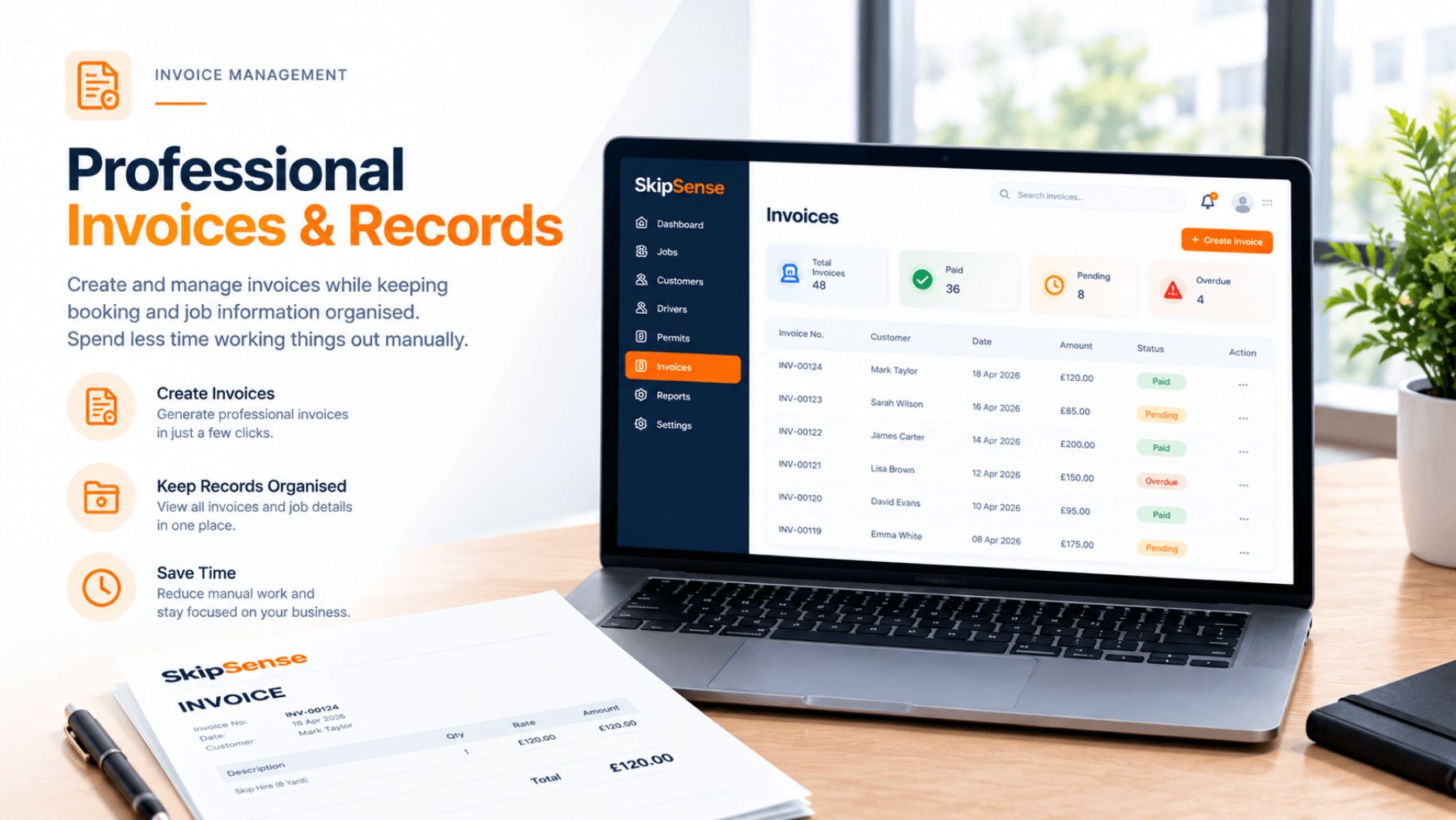
No need to create invoices manually from scratch. Access invoices linked to your skip hire jobs, with the relevant customer and booking information already included.
Know what's paid and what's outstanding
Keep track of customer payments with simple Paid and Unpaid statuses. Your operators can update payment records manually when customers pay by cash, bank transfer or another payment method.
Keep VAT calculations clear
For VAT-registered businesses, SkipSense can calculate VAT on applicable skip hire charges and display the breakdown on invoices. Your company details and VAT registration number help keep invoice records organised.
Keep track of your business activity
Use your booking and payment records to understand your skip hire operations, review completed jobs and identify outstanding payments.
How it works
1. Create a booking
Enter the customer's details, skip size, delivery address and hire charges. SkipSense keeps this information linked to the booking.
2. Access the invoice
Once the job is completed, open the invoice directly from the booking. View the details or download a PDF for your records or to share with your customer.
3. Manage payment status
Mark an invoice as Paid or Unpaid whenever a customer makes a payment. You stay in control of the payment records.
4. Review your business records
Check booking history, completed jobs and payment information to help manage day-to-day operations and understand how your business is performing.
What SkipSense doesn't do
SkipSense helps you manage invoices, payment statuses and operational records. It does not automatically collect payments from your skip hire customers or verify that money has reached your bank account.
Payment statuses are controlled by your operators, so you can manage cash, bank transfers and other payments according to how your business operates.
Less paperwork. Clearer records. Better business.
From booking details to downloadable invoices and payment tracking, SkipSense helps keep your skip hire business organised in one place.
Related features
- Bookings & dispatch — where the customer, the charges and the job details come from
- Skip tracking — which hires are still out, and which are finished and ready to invoice
- Digital waste transfer notes — the waste record that sits against the same job
Common questions
Can my customers pay through SkipSense?
No. SkipSense does not collect payments and does not check whether money has arrived in your bank account. It records what you have invoiced and whether you have marked it as paid — you take the payment however you take it today.
Who marks an invoice as paid?
Your operators. When a customer pays by cash, bank transfer or any other method, someone updates the status to Paid. Nothing changes it automatically, so the record reflects what your own team has confirmed.
Can I send an invoice to a customer?
You can open the invoice from the completed job and download it as a PDF, which you can then keep for your records or send on to the customer.
Does it handle VAT?
For VAT-registered businesses, SkipSense can calculate VAT on applicable skip hire charges and show the breakdown on the invoice, alongside your company details and VAT registration number.
Do I have to re-type the customer's details onto the invoice?
No. The customer, address, skip size and hire charges are captured once when the booking is taken, and the invoice is linked to that booking.
Can I see which invoices are still outstanding?
Yes — Paid and Unpaid statuses, together with your booking and payment records, are what you use to find the jobs still waiting to be settled.