
Why it matters
The pad is where jobs go missing
Every skip firm has the same story: a job written on a pad, the pad gets moved, and nobody delivers. The customer rings on Thursday afternoon asking where their skip is, and there's no good answer. One missed job costs more than a month of software.
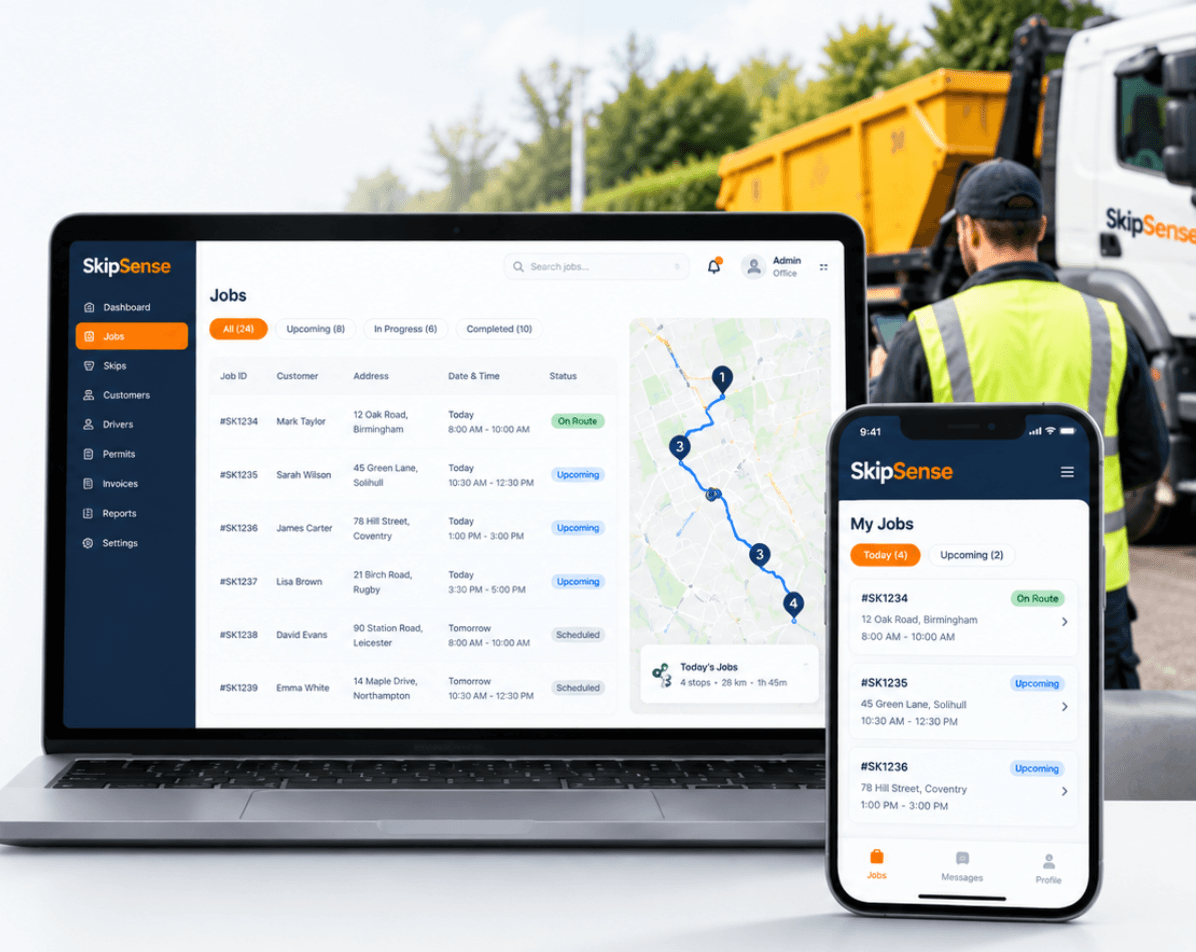
Your day fits on one screen
Jobs sit on a calendar by driver and by time slot, so you can see who's got capacity before you promise a slot. Not a whiteboard that's out of date by ten o'clock.
The customer knows without ringing
A confirmation goes out automatically when the job is booked. Fewer calls asking whether it's actually booked in.
How it works
1. Take the booking on one screen
Customer, address, skip size, delivery date, collection date. If they've hired from you before, their details are already there — you're not typing an address for the fourth time.
2. Assign a driver and a slot
Jobs go onto a calendar laid out by driver and time. You can see at a glance who's already got a full morning and who hasn't, so you're not promising a slot you can't keep.
3. The driver gets it, the customer gets it
The job appears on the driver's phone. A confirmation goes to the customer. Neither of them has to ring you to find out what's happening.
4. It updates as the day goes
Delivered, on site, collected — the status changes as the driver works through the day, so the office knows where things stand without a stream of phone calls.
What you can see at a glance
The dashboard shows today's picture without you going looking for it:
- Today's jobs — everything booked in for today
- On route — what's out with drivers right now
- Completed — what's already done
- Revenue this month — where you are against a normal month
Related features
- Driver dashboard — how the job reaches the person driving the lorry
- Customer SMS updates — what the customer gets, and when
- Skip tracking — knowing which skips are free before you book one out
Common questions
Can I still take bookings over the phone?
Yes — that's what most skip firms do, and it's what this is built around. You're taking the booking on a screen instead of a pad. Nothing about how you talk to the customer changes.
What if a customer wants to change the date?
Move the job on the calendar. The driver's phone updates and the customer can be notified of the new date.
Can two people take bookings at the same time?
Yes. Everyone's looking at the same calendar, so you don't get two people promising the same slot.
Do I have to move all my existing jobs across?
No. Start with new bookings from the day you switch. Your existing jobs run out on whatever system you're using now, and within a few weeks everything is in one place.
How long does it take to learn?
Taking a booking is one screen. Most people are doing it unaided the same morning. The parts that take longer — reports, permits — you can pick up as you need them.