
Why it matters
No app to install
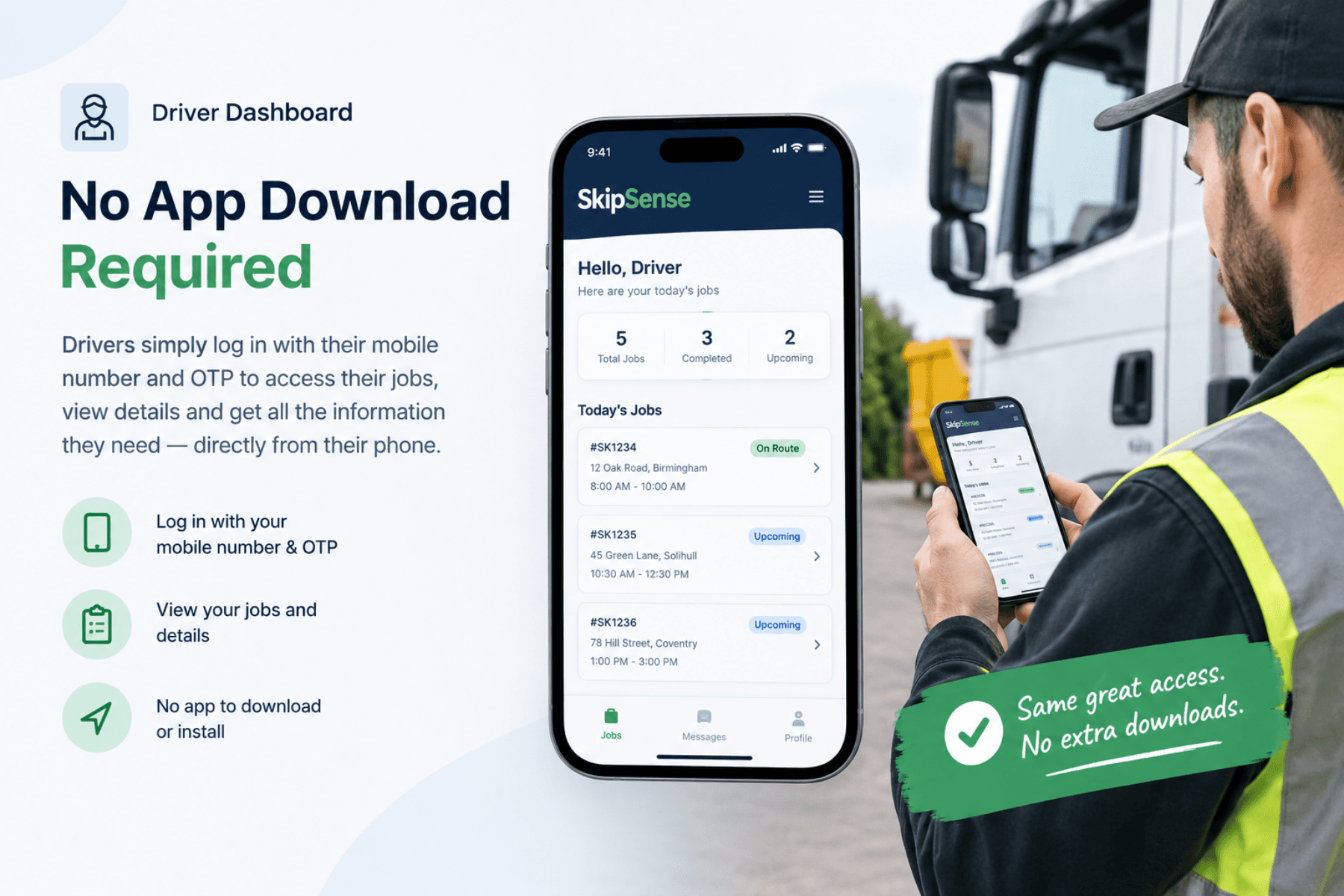
Drivers log in on their own phone with their mobile number. There's nothing to download from an app store, no company phones to buy, and nothing to reinstall when someone gets a new handset.
That matters more than it sounds. Getting eight drivers to install an app, keep it updated, and remember a password is where most driver systems quietly die.
The phone stops ringing
The day's jobs, the addresses, the skip sizes and the notes are all on the driver's screen. The calls that were only ever about "what am I doing next" stop.
You find out what happened on site
Photos, times and signatures come back from the job itself, not from a conversation three hours later. When a customer says the skip was left in the wrong place, you can look.
How it works
1. The driver logs in with their mobile number
No app download, no company device. They open it on the phone they already carry.
2. They see their own day
Only their jobs, in order, with the address, the skip size, and any notes from the booking. Not the whole yard's schedule.
3. They navigate straight there
The address opens in the map app they already use, so there's no reading a postcode off a docket while sitting in a cab.
4. They record what actually happened
Photo of the skip in position, customer signature, and the waste transfer note completed on the spot.
5. The office sees it immediately
The job status updates as the driver works. Nobody in the office has to ring anyone to build a picture of the day.
What drivers actually think of it
This is the part worth being honest about. Drivers are not, as a rule, enthusiastic about new systems — especially anything that feels like being watched.
What tends to win them over isn't the technology. It's that they stop filling in paper forms at the end of a shift, and they stop getting rung up while they're reversing a lorry. Those are real irritations that go away.
What helps: introduce it as "you'll stop having to do the dockets", not as "we're tracking you". And put the first week's jobs on both systems so nobody feels stranded.
Related features
- Bookings & dispatch — how the job gets to the driver in the first place
- Digital waste transfer notes — what the driver completes on site
- Customer SMS updates — what the customer hears while the driver's on the way
Common questions
Do drivers need to download an app?
No. They log in with their mobile number on the phone they already have.
What if a driver isn't good with phones?
The driver screen is deliberately simple — the day's jobs in a list, and a couple of buttons per job. If someone can use WhatsApp, they can use this. Run the first week on both paper and the app so nobody's stuck.
Does it track where drivers are?
The system only records a GPS location at the exact moments a job event is logged. It does not continuously track your live location or vehicle movements.