
Why it matters
Fewer calls, same information
The customer gets told what's happening as it happens. They ring less because they already know.
It looks like a bigger operation
A confirmation text with the details on it reads as organised. For a customer choosing between three local firms, that impression is worth something.
Nothing gets forgotten
The message goes out because the job moved, not because someone remembered to send it. On a busy Friday, that's the difference.
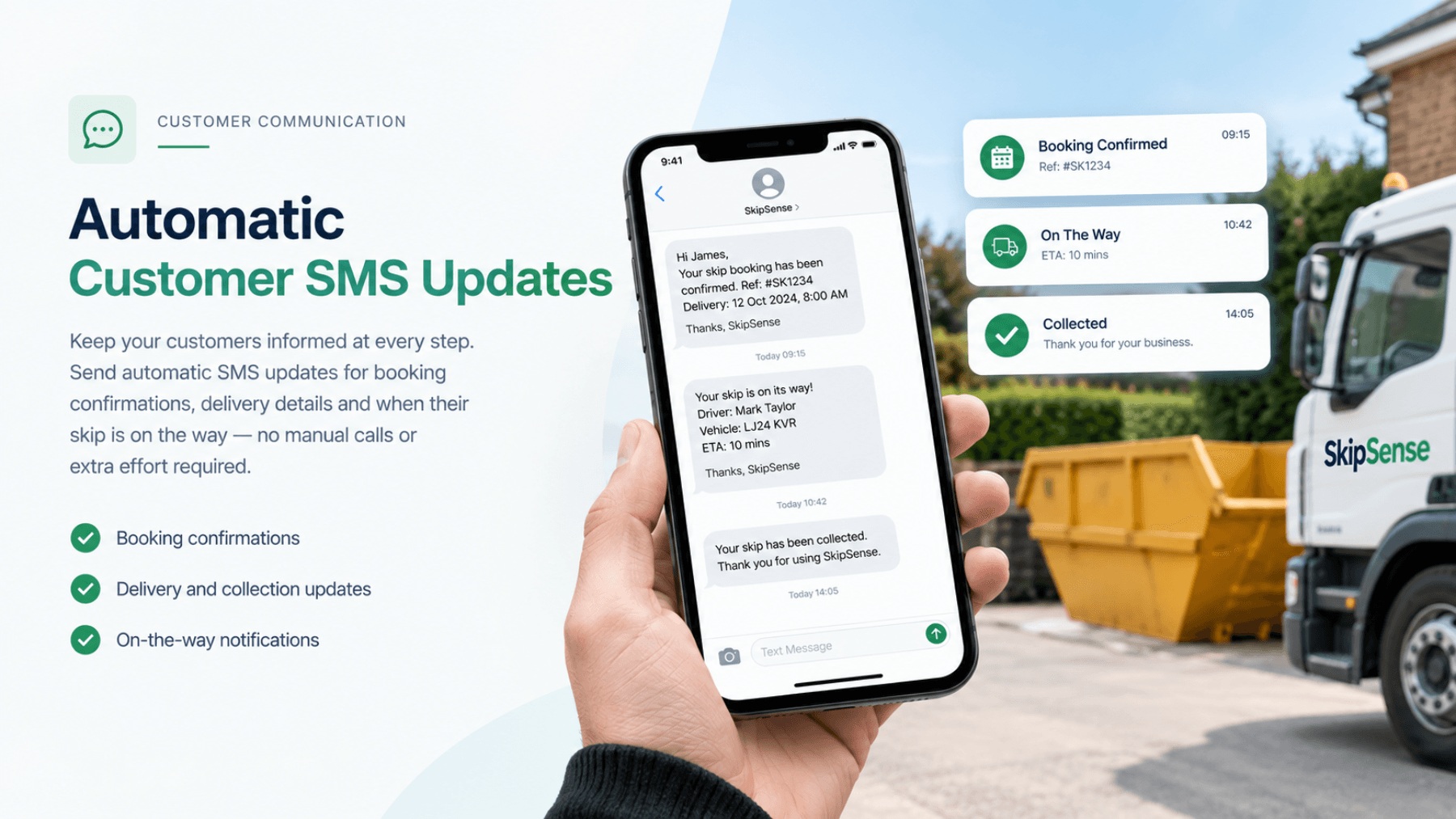
What gets sent, and when
| When | What the customer gets |
|---|---|
| Booking taken | Confirmation with the date, skip size and address |
| On the way / delivered | Their skip is on its way or has been dropped |
| Due for collection | A reminder that the hire period is ending |
| Collected | Confirmation it's gone, with the waste transfer note |
How it works
1. The message follows the job
When a job is booked, dispatched or completed, the relevant message goes out. Nobody has to remember.
2. It goes to the number on the booking
Taken once when you book the job, used for everything after.
Related features
- Bookings & dispatch — where the confirmation comes from
- Digital waste transfer notes — what gets emailed at the end
- Driver dashboard — what triggers the on-the-way message
Common questions
Can I change the wording?
No, SMS messages are standardised and cannot be customised. SkipSense automatically sends clear, professional notifications to customers at the appropriate stages of their booking, ensuring consistent communication.
What if a customer doesn't have a mobile?
Email works the same way for anything you'd otherwise text.
Will this annoy my account customers?
It can, if they're getting fifteen skips a week and fifteen texts to match. That's why it's worth being able to turn it down for those accounts.
Do the texts come from my company name?
SMS notifications are sent from SkipSense, but your skip hire company's name is clearly included in each message, so customers know which company the notification is from.