
Why it matters
Keep permit information in one place
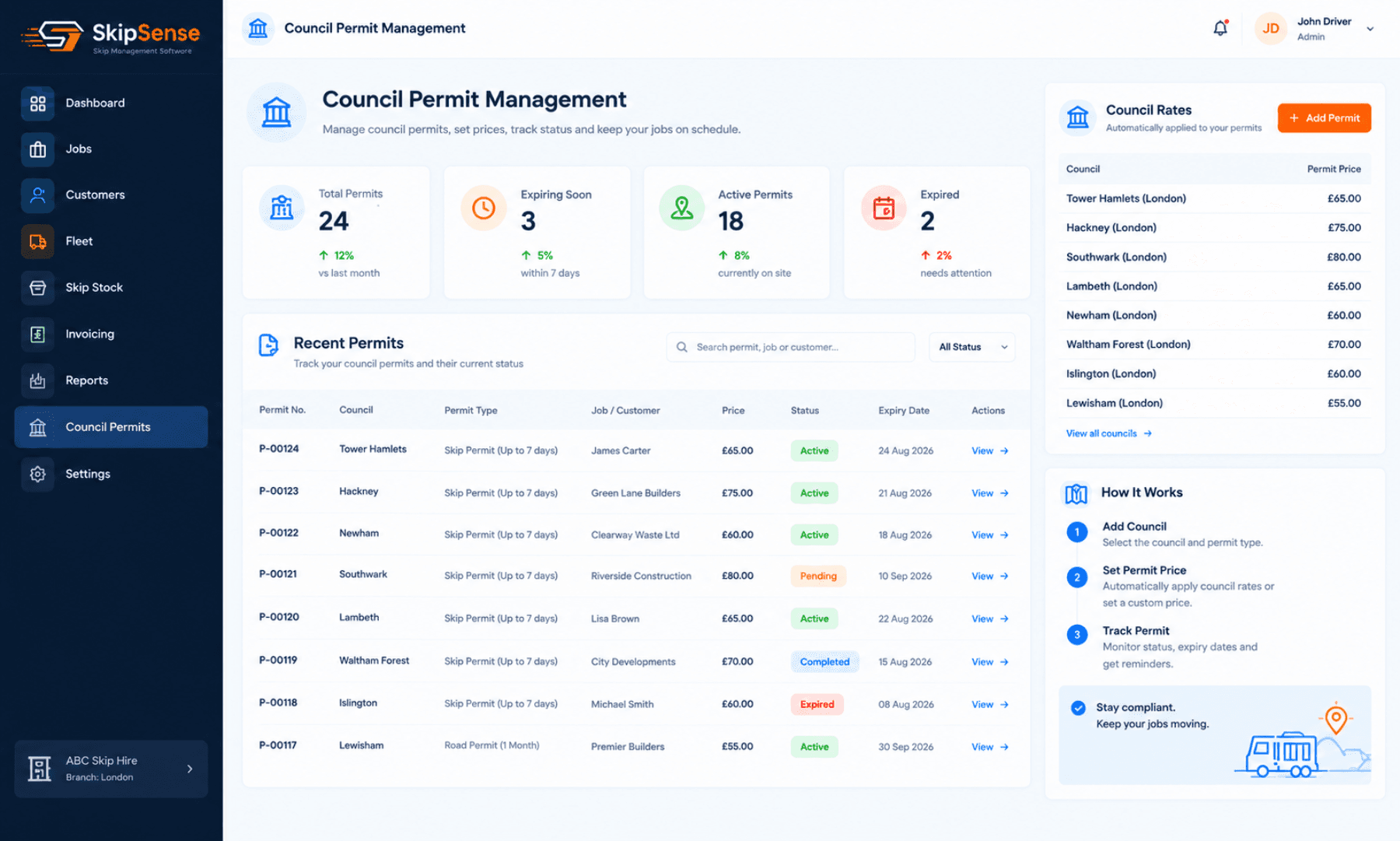
No need to search through paperwork or separate spreadsheets. Keep council permit details organised within SkipSense.
Keep track of permit dates
Record permit start and expiry dates so your team can check when a permit is valid and when it is due to expire.
Find permit references quickly
When you need to check a permit number or other recorded details, you can access the information without searching through paperwork.
How it works
1. Add permit details
Enter the relevant council permit information, including the permit reference and applicable dates.
2. Keep records organised
Store and manage permit information within SkipSense, making it easier to keep track of your council permits.
3. Check permit dates
Review recorded start and expiry dates to help identify permits that may need attention.
4. Access information when needed
Quickly find recorded permit details when checking your skip hire operations or responding to enquiries.
What SkipSense doesn't do
SkipSense helps you record and manage council permit information. It does not automatically submit permit applications, obtain council approval or renew permits on your behalf.
You remain responsible for applying to the relevant local council and ensuring the necessary permits are valid.
Less paperwork. Better organisation. More control.
Related features
- Bookings & dispatch — permits sit against the job
- Skip tracking — which skips are on hire and where
- Invoicing & Reports — the booking and payment records behind each job